ITX-H110_V11 Industrial Motherboard
A compact, high-performance Mini-ITX motherboard supporting Intel® 6th/7th/8th/9th Gen processors, designed for machine vision, AI video servers, and demanding industrial computing applications.
📋 Product Overview
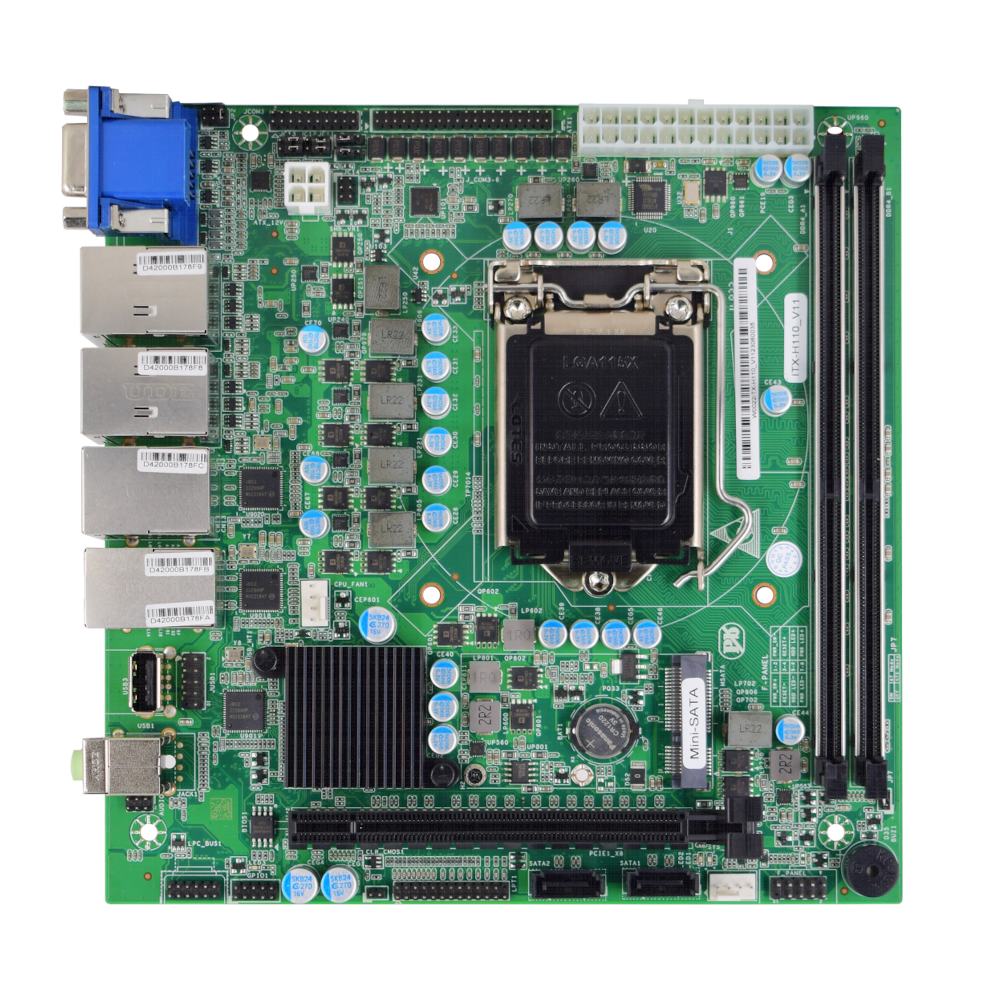
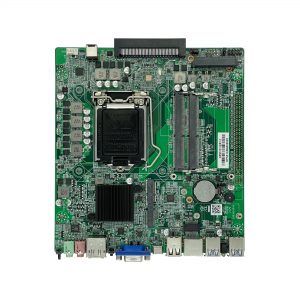
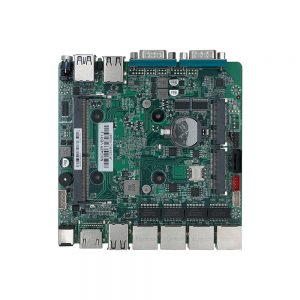
The ITX-H110_V11 is a rugged industrial-grade Mini-ITX motherboard based on the Intel® H110 chipset. Engineered for 24/7 operation in harsh environments, it offers extensive I/O connectivity, multiple serial ports, and robust expansion capabilities for machine vision, AI video analytics, and automation systems.
🛠️ Key Features
✓Wide CPU Compatibility: Supports Intel® 6th/7th/8th/9th Gen Celeron, Pentium, Core i3/i5/i7/i9 processors (LGA1151 socket).
✓Industrial I/O Richness: Features 6 COM ports (RS232/485), LPT, GPIO, and multiple USB ports for extensive device connectivity.
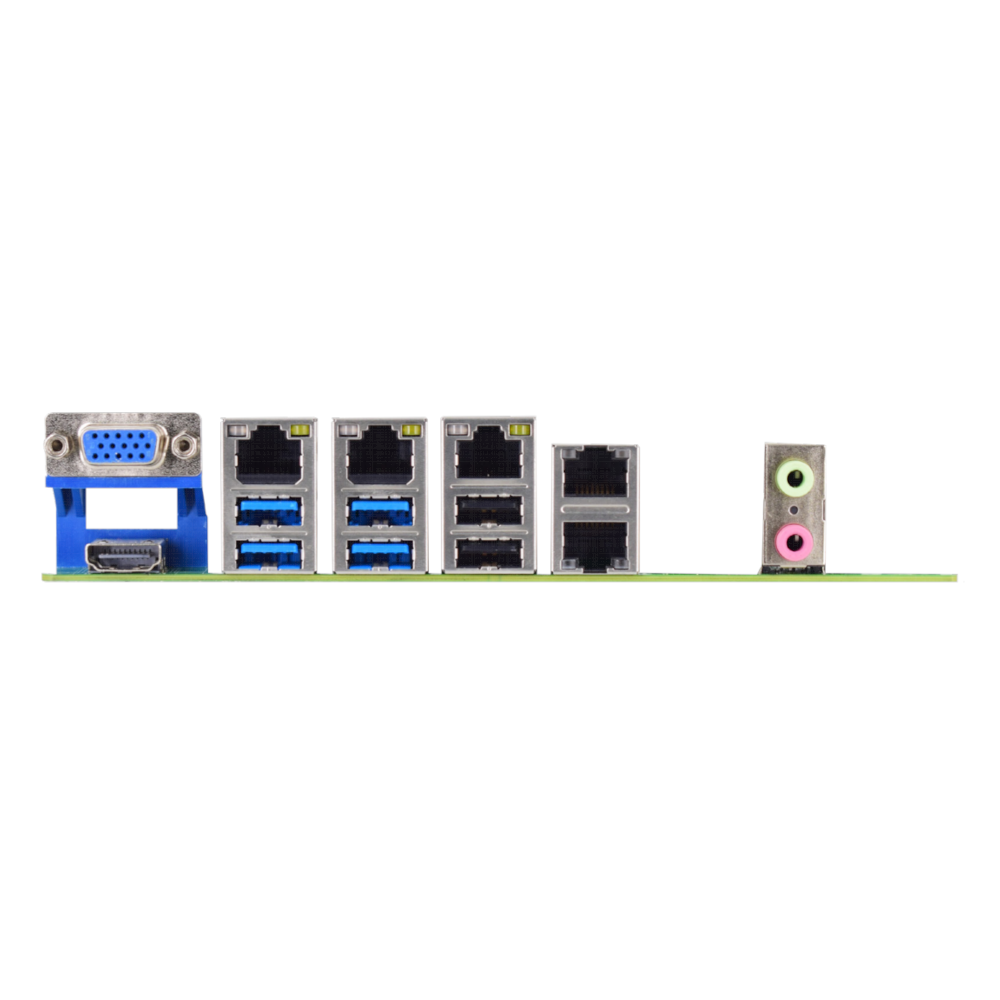
✓Dual Display Outputs: Integrated VGA and HDMI ports for dual-screen visualization needs.
✓High-Speed Networking: Equipped with 5 Intel® Gigabit Ethernet ports for high-bandwidth network applications.
✓Expansion Ready: Includes PCIe x16 slot, LPC bus interface, TPM header, and Mini-PCIe for custom module integration.
✓Industrial Reliability: Wide operating temperature range (0°C to 60°C) with Watchdog Timer for system recovery.
✓Multi-OS Support: Compatible with Windows 7/10, WES7, and Linux (32-bit/64-bit).
🔧 Core System Specifications
CPU
Intel® LGA1151 socket, supports 6th/7th/8th/9th Gen Celeron, Pentium, Core i3/i5/i7/i9 processors
Memory
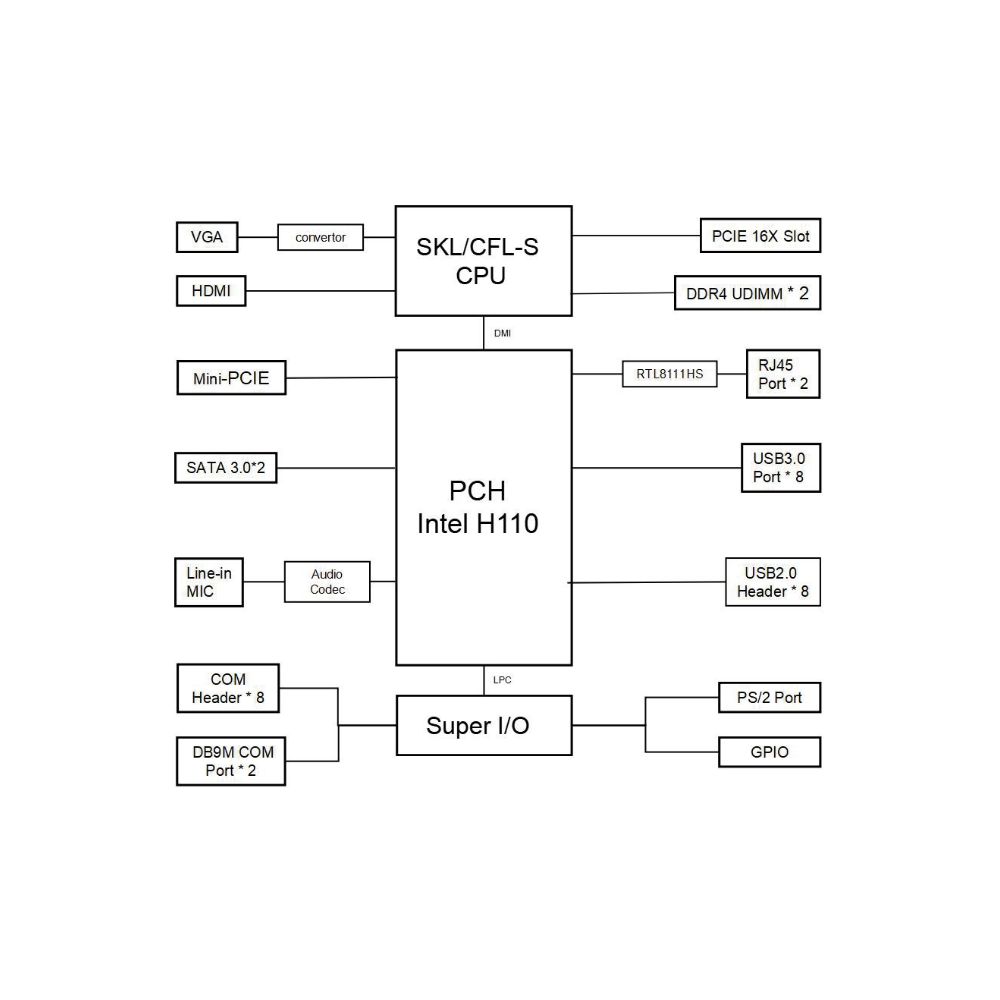
2 x DDR4 SO-DIMM slots, supports 2133/2400/2600 MHz, up to 64GB maximum (Dual Channel)
Storage
2 x SATA 3.0 interfaces
1 x mSATA slot
Operating System
Windows 7, Windows 10, WES7, Linux (32-bit/64-bit)
Graphics
Integrated Intel® HD Graphics (varies by CPU)
🎥 Display & Audio Interfaces
Display Outputs
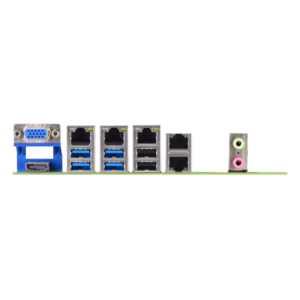
1 x VGA, 1 x HDMI (Dual independent display supported)
Audio Ports
1 x Line Out (3.5mm jack)
1 x Microphone In (3.5mm jack)
🔌 Connectivity & I/O Ports
USB Ports
4 x USB 3.0 (Type A, edge-mounted with RJ45)
2 x USB 2.0 (Type A, edge-mounted with RJ45)
2 x USB 2.0 via headers
1 x Vertical USB 2.0 (for dongles)
Network
5 x Intel® Gigabit Ethernet (RJ45, 10/100/1000 Mbps)
Serial Ports
6 x COM Ports
(COM1 & COM2: RS232/485, COM3-6: RS232)
Parallel Port
1 x LPT interface
Expansion Slots
1 x PCIe x16 slot (x16 signals)
1 x LPC Bus header
1 x TPM header
GPIO
12-channel Input & 12-channel Output GPIO (configurable)
Watchdog Timer
Hardware reset function (255 levels, programmable in seconds/minutes, supports timeout interrupt or system reset)
⚡ Power & Electrical Specifications
Power Supply
Standard ATX 24-pin + 4-pin CPU power connector
Power Mode
Supports ATX/AT power on/off modes (selectable via JP7 jumper)
Fan Headers
1 x 4-pin CPU fan header (PWM control)
1 x 4-pin System fan header
BIOS
AMI UEFI BIOS with intuitive setup utility
🌎 Environmental & Physical Specifications
Operating Temperature
0°C to +60°C
Storage Temperature
-40°C to +80°C
Operating Humidity
5% to 95% RH (non-condensing)
PCB Color & Finish
Industrial green solder mask
Dimensions
180mm × 180mm (Standard Mini-ITX Form Factor)
⚠️ Important Notes
Installation Environment: Always operate in a well-lit, dry, and stable environment. Ensure the power cord is disconnected before installation.
ESD Protection: Before removing the motherboard from its anti-static bag, ground yourself by touching a safe, grounded object or wearing an anti-static wrist strap. Handle the board by its edges to avoid damaging components.
System Cleanliness: After installation, ensure no loose parts or debris remain inside the chassis to prevent short circuits.
Environmental Conditions: Keep the system away from high temperature, high humidity, and water sources.
Proper Shutdown: Always power down the system through the operating system. Do not disconnect the power cord directly from the motherboard while it’s running.
Package Contents: The package includes: 1 x ITX-H110_V11 Motherboard, 1 x I/O Shield, 1 x SATA Data Cable, 1 x COM Cable.
📐 Mechanical Dimensions
Unit: mm
Dimensions diagram placeholder. Please insert the motherboard dimension image here.
🖼 Product Images
Compact side view image placeholder
🔧 BIOS Setup Guide
Arrow Keys (→ ← ↑ ↓)
Navigate through menus and select items
Enter
Select item and enter submenu
+/-
Change selection or adjust values
F9
Load Optimized Defaults
F10
Save Changes and Exit
ESC
Exit current menu or BIOS
For further details regarding jumper settings, pin definitions, or other technical specifications not covered here, please consult the full user manual or contact our sales team.

Reviews
There are no reviews yet.