IMB110 Industrial ATX Motherboard
A full-size ATX motherboard supporting Intel® 6th/7th/8th/9th Gen processors, featuring triple display outputs, 6 COM ports, multiple PCI/PCIe slots, and robust industrial-grade reliability for machine vision, AI video servers, and advanced automation systems.
📋 Product Overview
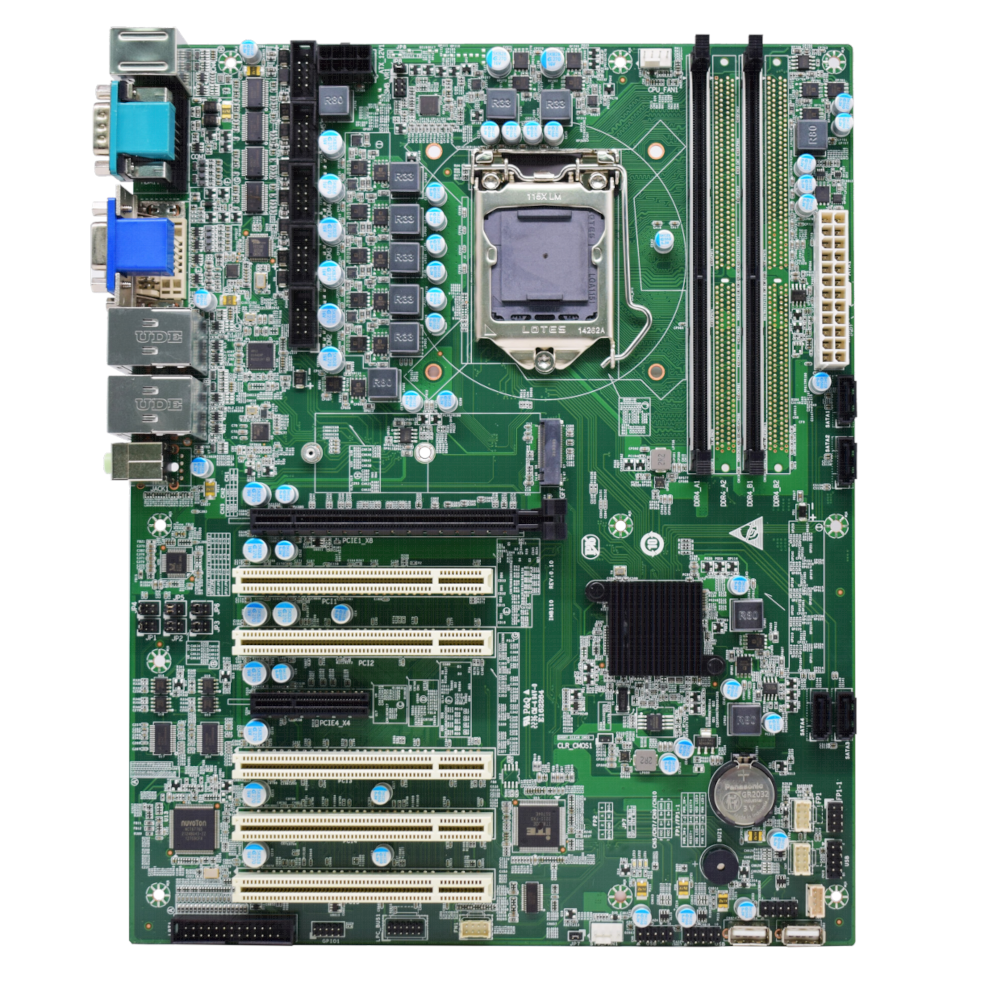
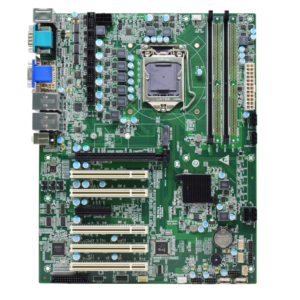
The IMB110 is a full-featured industrial ATX motherboard based on the Intel® H110 chipset. Designed for demanding industrial applications, it offers extensive expansion capabilities with multiple PCI/PCIe slots, rich I/O interfaces, and triple independent display outputs. Ideal for machine vision, AI video analytics, automation control, and other high-performance computing applications requiring maximum connectivity and reliability.
🛠️ Key Features
✓Wide CPU Compatibility: Supports Intel® 6th/7th/8th/9th Gen Celeron, Pentium, Core i3/i5/i7/i9 processors (LGA1151 socket).
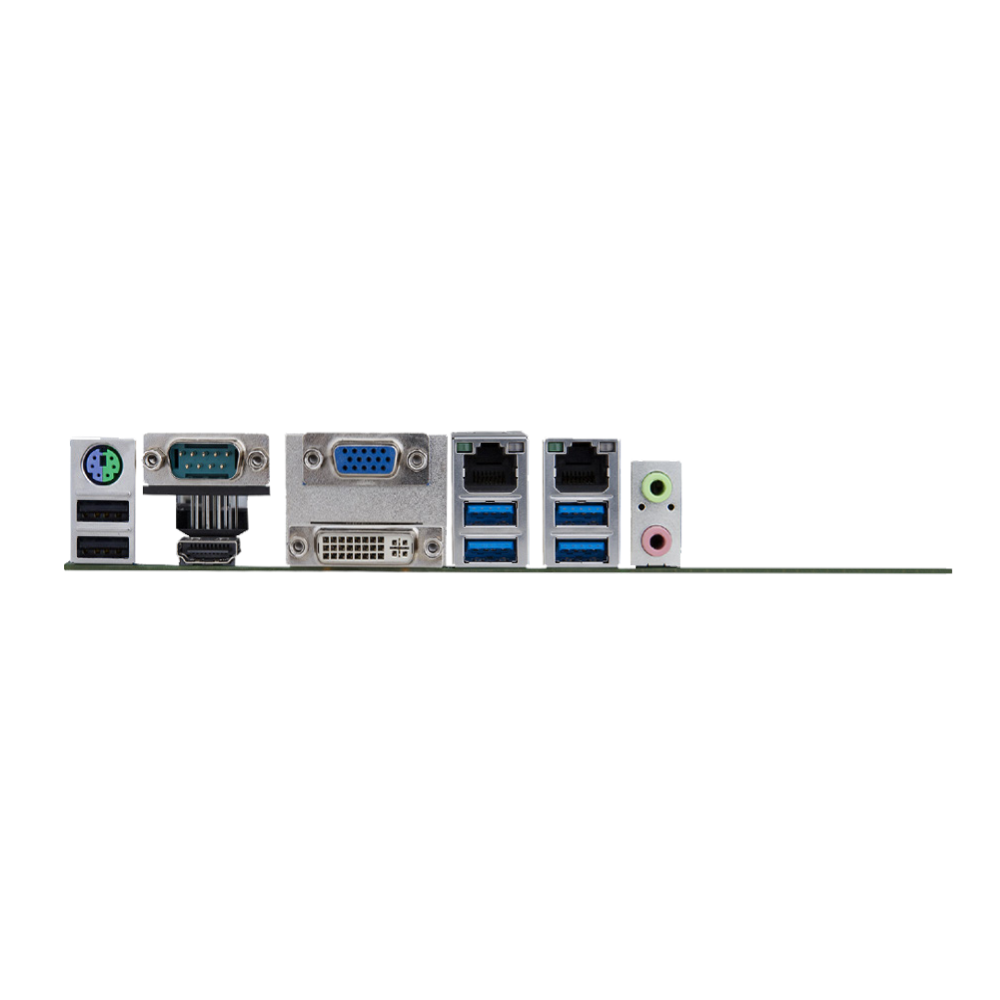
✓Triple Independent Displays: DVI-D, VGA, and HDMI outputs for multi-screen visualization setups.
✓Extensive Expansion: 1 x PCIe x16, 1 x PCIe x4, 5 x PCI slots for maximum add-on card flexibility.
✓Rich Industrial I/O: 6 COM ports (extendable to 10), LPT, GPIO, LPC bus, and TPM header for comprehensive device connectivity.
✓Dual Intel® Gigabit LAN: Features Intel I219LM and I211AT controllers for reliable, high-speed networking.
✓Multiple Storage Options: 4 x SATA 3.0 ports and 1 x M.2 slot for NVMe/SATA SSDs.
✓Industrial Reliability: Wide operating temperature range (0°C to 60°C) with Watchdog Timer for system recovery.
🔧 Core System Specifications
CPU
Intel® LGA1151 socket, supports 6th/7th/8th/9th Gen Celeron, Pentium, Core i3/i5/i7/i9 processors
Memory
2 x DDR4 DIMM slots, supports 2133/2400/2666 MHz, up to 32GB maximum (Dual Channel)
Storage
4 x SATA 3.0 interfaces
1 x M.2 slot (2242/2280, supports NVMe/SATA SSDs)
Operating System
Windows 7, Windows 10, WES7, Linux (32-bit/64-bit)
BIOS
AMI UEFI BIOS with intuitive setup utility
🎥 Display & Audio Interfaces
Display Outputs
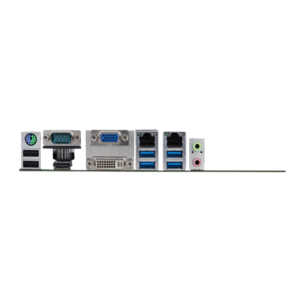
1 x DVI-D, 1 x VGA, 1 x HDMI (Triple independent display supported)
Graphics
Integrated Intel® HD Graphics (varies by CPU)
Audio Ports
1 x Line Out (3.5mm jack)
1 x Microphone In (3.5mm jack)
1 x Speaker header
🔌 Connectivity & I/O Ports
USB Ports
4 x USB 3.0 (Type A, edge-mounted with RJ45)
2 x USB 2.0 (Type A, edge-mounted with PS/2)
2 x USB 2.0 (internal dongle)
6 x USB 2.0 via headers
Network
2 x Intel® Gigabit Ethernet (LAN1: I219LM, LAN2: I211AT)
Serial Ports
6 x COM ports (extendable to 10)
COM1 & COM2: RS232/422/485 configurable
COM3-6: RS232
Parallel Port
1 x LPT header
Expansion Slots
1 x PCIe x16 slot (x16 signals)
1 x PCIe x4 slot (x4 signals)
5 x PCI slots (32-bit)
GPIO
8-channel digital I/O (4 input, 4 output, +5V level)
PS/2 Interface
1 x PS/2 combo port (keyboard/mouse)
LPC Interface
1 x LPC bus header for serial expansion modules
Watchdog Timer
Hardware reset function (255 levels, programmable in seconds/minutes, supports timeout interrupt or system reset)
⚡ Power & Electrical Specifications
Power Supply
Standard ATX 24-pin + 8-pin CPU power connectors
Power Mode
Supports ATX/AT power on/off modes (selectable via JP7 jumper)
Fan Headers
1 x 4-pin CPU fan header (PWM control)
1 x 4-pin System fan header
TPM Support
LPC interface header for security encryption modules
🌎 Environmental & Physical Specifications
Operating Temperature
0°C to +60°C
Storage Temperature
-40°C to +80°C
Operating Humidity
5% to 95% RH (non-condensing)
PCB Color & Finish
Industrial green solder mask
Dimensions
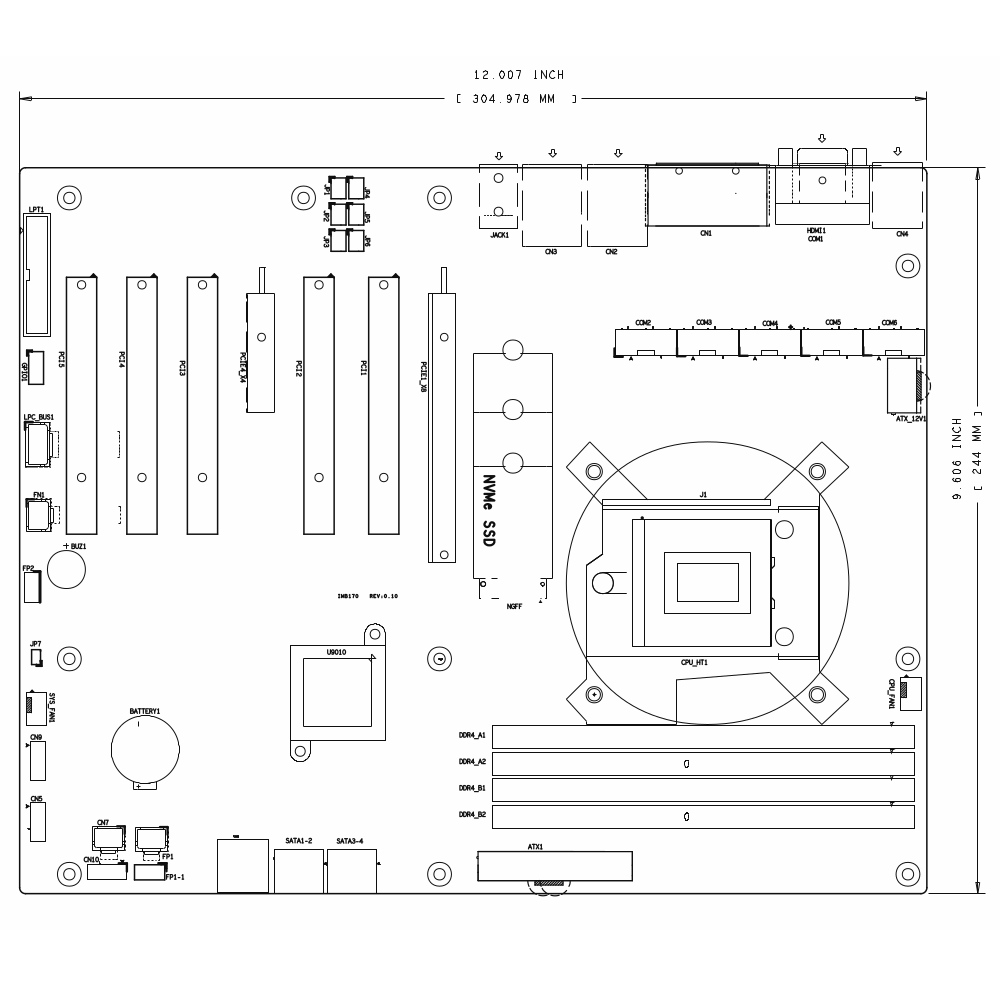
305mm × 244mm (Standard ATX Form Factor)
⚠️ Important Notes
Installation Environment: Always operate in a well-lit, dry, and stable environment. Ensure the power cord is disconnected before installation.
ESD Protection: Before removing the motherboard from its anti-static bag, ground yourself by touching a safe, grounded object or wearing an anti-static wrist strap. Handle the board by its edges to avoid damaging components.
System Cleanliness: After installation, ensure no loose parts or debris remain inside the chassis to prevent short circuits.
Environmental Conditions: Keep the system away from high temperature, high humidity, and water sources.
Proper Shutdown: Always power down the system through the operating system. Do not disconnect the power cord directly from the motherboard while it’s running.
Serial Port Configuration: COM1 and COM2 can be configured for RS232, RS485, or RS422 operation using JP1-JP6 jumpers. Refer to the manual for proper jumper settings.
Package Contents: The package includes: 1 x IMB110 Motherboard, 1 x I/O Shield, 1 x SATA Power Cable, 1 x SATA Data Cable, 6 x COM Cables.
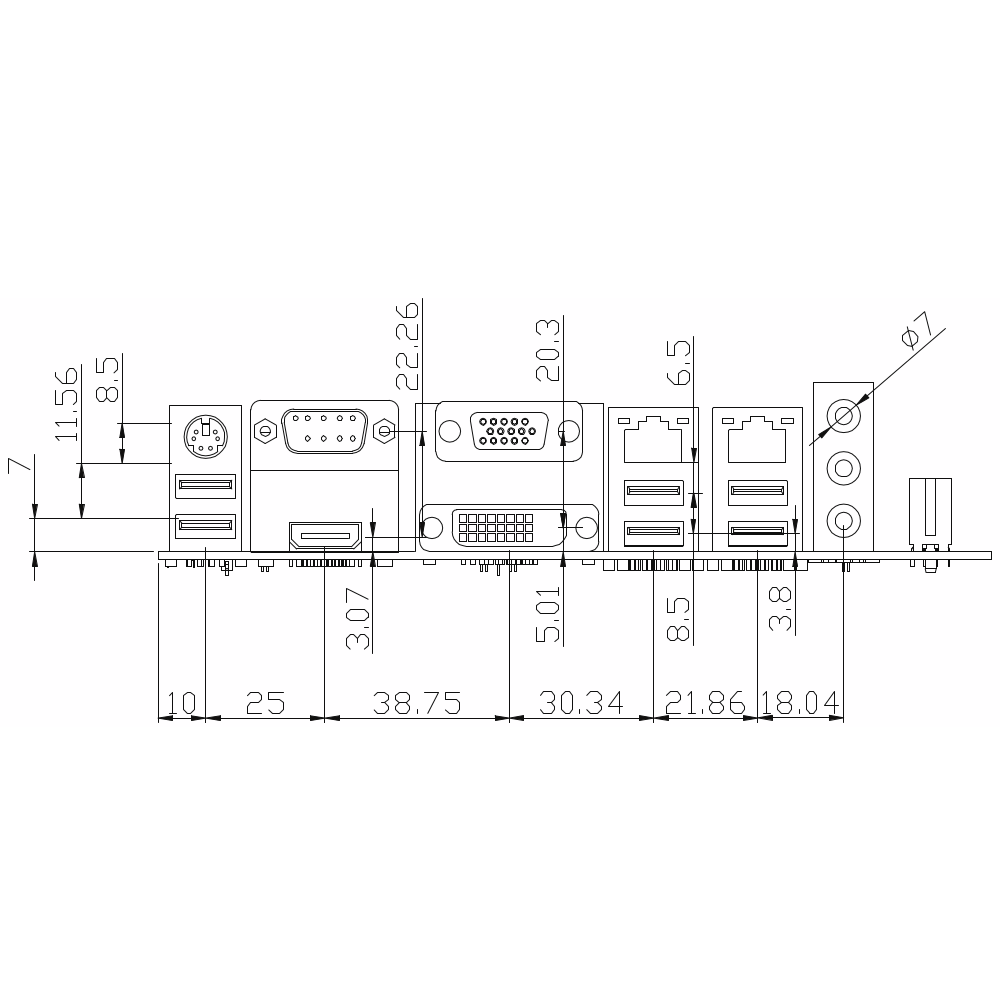
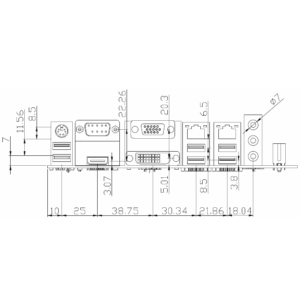
📐 Mechanical Dimensions
Unit: mm
🖼 Product Images
🔧 BIOS Setup Guide
DEL
Enter BIOS Setup during boot
Arrow Keys (→ ← ↑ ↓)
Navigate through menus and select items
Enter
Select item and enter submenu
+/-
Change selection or adjust values
F9
Load Optimized Defaults
F10
Save Changes and Exit
ESC
Exit current menu or BIOS
For further details regarding jumper settings, pin definitions, or other technical specifications not covered here, please consult the full user manual or contact our sales team.

Reviews
There are no reviews yet.